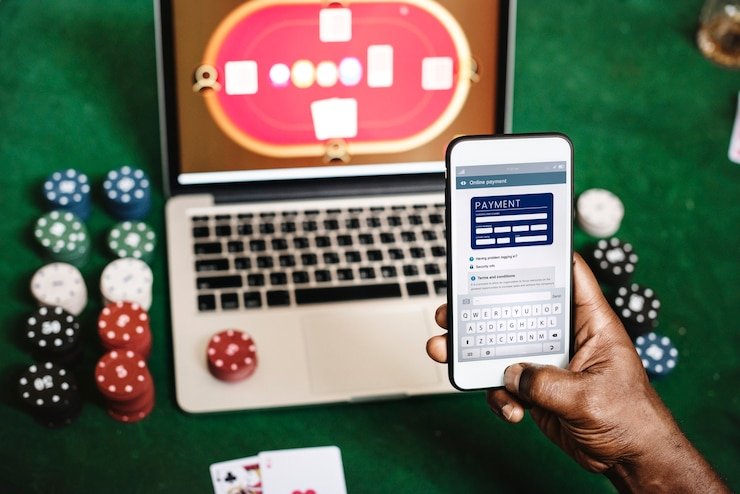
The 666p5 mobile experience runs directly in your device browser — no separate file to fetch, no store listing to search. Open 666p5 on your phone, sign in, and your full account — live tables, K2 Summit Slots, Crash Blaze, the sportsbook — is right there on the same screen you use every day. Whether an installable build is currently offered is always shown inside your account dashboard after login, so you are checking live status rather than stale information.
Accessing 666p5 on mobile means the same account-security practices apply as on desktop. Confirm you are on the correct domain before entering credentials, follow the published recovery path if you lose account access, and never share login details across devices. Availability of specific features depends on local law and eligible regions — check the access status shown in your account for the current state.
Correct Domain First
Always confirm the address bar shows 666p5 before entering your password. Phishing pages copy the look of real sites — the domain is the one detail they cannot fake. A quick check before login keeps your account secure on any mobile device.
Published Recovery Path
If you lose access to your account on mobile, use the recovery steps published on the login page — not a third-party link. The steps shown there are the ones our support team will walk you through, so starting there saves time and keeps the process clean.
Credential Safety
Your 666p5 login is for your use only. Do not save passwords in shared browsers or on a device other people use. If you switch phones, sign out of the previous device from your account settings before handing it on.
Device Guidance Check
The account dashboard shows current device guidance after login. If something looks different from what you expect — layout, menu position, access to a game — that page is where the up-to-date status lives rather than a cached help article.
HELP CHANNELS
Support for Mobile Account Access
Running into a sign-in issue or a layout problem on your phone? Our support team handles mobile account queries through the channels below. Have your account details ready so the agent can pull up your record straight away — it keeps the conversation short and gets you back in the lobby faster.
Live Chat Support
The chat button sits in the bottom corner of the site on mobile. Tap it while you are logged in and an agent picks up the query in the support queue. This is the fastest path for login errors, screen rendering issues or questions about current mobile access status.
Email Support
For less urgent account queries — a screenshot of a display issue, a request to review access from a new device — email our support address listed on the Contact page. Include your registered account email so the team can locate your record without a back-and-forth.
Access and Install Guide
The help section inside your account dashboard carries a current access guide. It covers browser compatibility, the sign-in flow, and what to do if a page does not load correctly on your device. Check there before contacting support — many common questions are answered in under a minute.
DEVICE CHECKLIST
Browser and Device Compatibility Check
666p5 is built to render cleanly in a modern mobile browser without needing a downloaded application. The checklist below covers what to verify on your device before assuming there is an account or connection problem.
Browser Version
Use a current version of Chrome, Safari or Firefox on your phone. Pages are tested against recent browser releases — an outdated browser may drop features or fail to load the account screen correctly. Your browser's settings menu shows the current version and offers an update if one is available.
Screen Layout
The 666p5 interface reflows for portrait and landscape on standard smartphone screen sizes. If the layout looks broken, try rotating your device or clearing the browser cache. The account dashboard confirms the currently supported screen configurations after login.
Account Requirements
A registered and verified 666p5 account is required before you can access the full lobby on mobile. The sign-in page shows the current verification steps. Access to certain game categories or markets depends on local law and eligible regions — the dashboard reflects your current access state.
Connectivity Check
Live casino tables like Baccarat Speeddial and crash games like Crash Energy stream in real time, so a stable mobile data or Wi-Fi connection makes a noticeable difference. If a game stalls, check your signal before logging a support query — most streaming hiccups resolve on their own once the connection steadies.
Currently Supported Devices
The list of tested and confirmed devices is maintained inside your account dashboard rather than published here, since it is updated as support is added. Log in from your device and navigate to the help section to see whether your specific handset model is on the current list.
ACCESS STEPS
Mobile Access in 3 Steps
Getting into your 666p5 account on mobile does not require locating a store listing or sideloading a file. The whole process runs through your browser. Start by opening 666p5 in Chrome or Safari on your phone — make sure the address matches exactly before you go further. On the login screen, enter your registered email and password; the page will prompt you for any verification step currently active on your account. Once you are in, your full account loads: the game lobby showing titles like K2 Summit Slots and Blackjack Glory, the sportsbook with cricket and football markets, and your Easypaisa or Raast payment record in the wallet section. If you want to check whether a native app build is currently available, that status is displayed in the account dashboard — no need to search external sources.
Open the Current Site
Navigate to 666p5 in your mobile browser. Confirm the domain before entering any details.
Sign In Securely
Enter your registered email and password. Complete any account verification step shown on the login screen.
Check Dashboard for App Status
Once logged in, open the account dashboard. Current mobile access options and any available app build are listed there.
MOBILE FEATURES
What the Mobile Interface Carries
The mobile browser version of 666p5 is not a stripped-down view — it carries the same lobby sections as the desktop, reorganised for a smaller screen. Sections reorder vertically so you reach the live tables, slots and sportsbook without horizontal scrolling. Your account wallet, including your Easypaisa and Raast payment records, loads in the same session.
Responsive Navigation
The main menu collapses into a compact icon row at the bottom of the screen on mobile. Live casino, slots, sportsbook and your account are one tap away from anywhere in the lobby, so switching from Crash Blaze to the cricket markets takes a single step rather than a full page reload.
Account Wallet Access
Your wallet section — including Easypaisa and Raast transaction records — is accessible from the account icon in the mobile menu. The current balance and recent activity are displayed on the wallet screen, giving you a clear record without switching to a separate app or browser tab.
Game Lobby on Screen
The full game catalogue renders in a vertical scroll rail on mobile. Categories like live tables, slots and crash games are filterable from the top of the lobby screen. Titles such as Football Betmaster and Crash Energy load within the browser without requiring a separate launcher.
Help Section in Session
The help and support section is accessible while you are logged in on mobile, so you do not lose your session to get an answer. The access guide, contact options and current device notes are all reachable from the account menu without logging out or opening a new tab.
WHAT IS INSIDE
Mobile Web Access on 666p5
The mobile site at 666p5 is a responsive layout rather than a separate product — the same account, the same game lobby, the same wallet. On a phone, the navigation moves to a bottom bar so your thumbs reach it naturally. The game discovery rail runs vertically: live casino tables including Baccarat Speeddial at the top, slots like K2 Summit Slots and Blackjack Glory in the next section, crash titles below that. The sportsbook sits alongside, with cricket the most-followed category among Pakistan players. Your account routes — wallet, history, settings, help — are all one tap from the lobby. Pages load within the browser session, so switching between game categories or checking your Raast payment record does not push you out to a different screen. Access to specific content depends on local law and the eligible regions confirmed in your account.
COMMON QUESTIONS
App Access Questions Answered
Does 666p5 have a mobile app I can download?
Whether a native app build is currently available is shown inside your account dashboard after login. The browser version at 666p5 works on any current smartphone without a download, and that is the access path most people use day to day.
Which browsers work with 666p5 on mobile?
Current versions of Chrome, Safari and Firefox on Android and iOS render the site correctly. Outdated browser versions may miss features. Check your browser settings for the version number and update if one is available — the account help section lists currently confirmed configurations.
Can I access my Easypaisa and Raast records on mobile?
Yes. Your wallet screen on mobile shows the same Easypaisa and Raast transaction history as the desktop view. Open the account icon from the bottom menu after login and navigate to your wallet. The current balance and activity record are displayed there without needing a desktop session.
Why does the game lobby look different on my phone than on desktop?
The layout reflows for smaller screens — the navigation moves to a bottom bar and sections stack vertically instead of sitting side by side. The content is the same. If something looks broken rather than just reorganised, clear your browser cache or try a different supported browser, then check the help section in your dashboard.
How do I recover my account if I cannot sign in on mobile?
Use the recovery link on the 666p5 login page. It takes you through the steps published for your account type. If the self-service path does not resolve the issue, contact support via live chat or email with your registered account email address — the team can verify your identity and restore access from their end.
Do live casino games like Baccarat Speeddial work on mobile?
Live tables including Baccarat Speeddial stream in real time through the browser. A stable mobile data or Wi-Fi connection gives the smoothest experience. If a stream stalls, check your signal first. The game lobby on mobile lists live tables at the top of the discovery rail for quick access after login.
 Sports / App